
AI Prompt for Expert Web Design: 50+ Prompts That Actually Work
Key Takeaway
The right AI prompt for expert web design can transform hours of manual coding into minutes of guided generation—but only when prompts are specific, structured, and broken into focused components. This guide provides 50+ proven prompts across layout scaffolding, SEO optimization, accessibility, responsive design, and production workflows, sourced from HubSpot, Builder.io, and real-world practitioner experience.
Every AI prompt for expert web design starts with the same challenge: how do you get an AI to produce professional-quality code instead of generic, outdated boilerplate? The answer lies not in the AI model itself, but in how you structure your requests. Whether you are building responsive layouts, generating accessible navigation components, or scaffolding entire homepage architectures, the prompts in this guide have been tested and refined across ChatGPT, Claude, and Gemini to deliver results that professional web designers and developers can actually use in production.
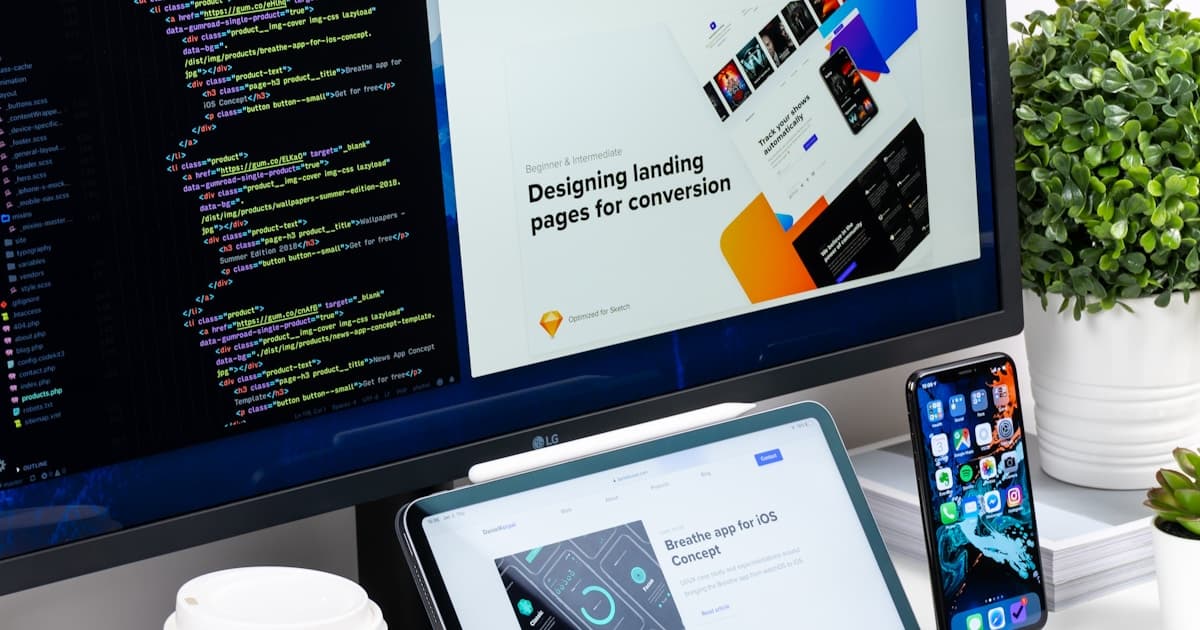
AI-powered web design prompts help developers scaffold layouts, generate accessible components, and optimize for SEO in a fraction of the time.
Why AI Prompts Are Transforming Web Design in 2026
The web design workflow has fundamentally shifted. According to HubSpot's guide on AI prompts for web developers, author Kenny Lee—a former engineer who initially resisted prompt engineering—discovered that AI saved substantial time on development tasks, noting that his time is better spent on high-value creative decisions rather than repetitive coding. The key insight: AI prompts do not replace web design expertise, they amplify it.
However, as Builder.io warns in their comprehensive prompt guide, AI tools have critical limitations: they generate code without knowing your existing components, design system, or patterns, cannot access your entire codebase or understand your team's conventions, require manual integration of suggested code, and lack real-time testing capabilities. Understanding these constraints is essential to using any AI prompt for expert web design effectively.
The AI Forge publication on Medium puts it bluntly: most people fail with AI web design because they ask ChatGPT to “make me a freelance portfolio website” and get outdated, generic results. The solution is to stop trying to “code” with AI and start “directing” it instead—treating the AI as a skilled junior developer who needs clear, specific instructions.
The 5 Rules for Writing Effective AI Web Design Prompts
Before diving into specific prompts, understanding how to structure them is critical. HubSpot identifies five foundational strategies that make every AI prompt for expert web design more effective:
- Use instructional verbs: Employ action words like “analyze,” “scaffold,” “generate,” “audit,” and “outline.” These signal to the AI exactly what type of output you expect.
- Provide context: Include design specs, reference URLs, documentation, or existing code snippets. The more context the AI has, the more relevant its output will be.
- Be specific: Instead of “make a landing page,” say “scaffold a Next.js landing page with a hero section using Tailwind CSS, a three-column feature grid, and a contact form with client-side validation.”
- Break down complex tasks: Work within AI context windows by focusing on one or two components per prompt rather than requesting an entire multi-page site at once.
- Provide examples: Reference existing websites, design patterns, or code samples to convey your expectations clearly.
As Website Builder Expert emphasizes, good prompts include four main components: purpose (what the website is for), style (visual direction), content (specific sections and copy), and target audience (who will use the site). Discussions in Reddit communities like r/webdev and r/web_design consistently reinforce this: the more structured and detailed your prompt, the better the output.
AI Prompt for Expert Web Design: Layout & Structure Prompts
Layout and structure prompts form the foundation of any web design project. These prompts handle homepage scaffolding, navigation, grid systems, and responsive frameworks.
1. Responsive Homepage Scaffolder
“Scaffold a [React/Next.js/Vue] homepage including hero, services, and contact form sections with responsive design. Add hover effects, scroll-to-section functionality, and modular component structure.”
This prompt creates foundational website structure with boilerplate code for all major homepage sections. HubSpot recommends specifying the framework upfront and adding scroll-to-section functionality for better UX.
2. Accessible Navigation Bar
“Create a semantic navigation bar component with dropdowns, ARIA accessibility attributes, and a collapsible hamburger menu for mobile. Include keyboard navigation support and screen reader compatibility.”
Accessibility is non-negotiable in professional web design. This prompt generates responsive drop-down menus compliant with accessibility standards, including ARIA labels that ensure screen reader compatibility. HubSpot recommends listing specific menu items and specifying mobile versus desktop behavior.
3. Mobile-First Grid Layout
“Outline a mobile-first responsive grid setup using CSS Grid. Specify breakpoints for tablet (768px) and desktop (1024px). The grid should support a [product listing / blog / portfolio] layout with 1 column on mobile, 2 on tablet, and 3 on desktop.”
This establishes a CSS Grid foundation that starts with mobile and scales up. HubSpot emphasizes specifying the page type (product listing versus blog versus portfolio) since grid structures vary significantly between use cases.
4. HTML & CSS Component Generation
“Generate semantic and accessible HTML and [Tailwind CSS / Bootstrap] for a [component name] with [specific parts]. Components should be [layout description]. Include proper ARIA labels and semantic HTML5 elements.”
Builder.io's template pattern works for any component. The key is specifying your CSS framework (Tailwind, Bootstrap, vanilla CSS), listing the exact parts needed, and describing the layout structure. Their example creates a contact form using Tailwind CSS with name, email, issue type, and message fields stacked vertically in a card layout.
5. Multi-Step Signup Flow
“Design a multi-step signup flow with progressive disclosure, input masking for phone numbers, and navigation controls (back/next/submit). Include wireframes for each step and follow UI/UX best practices for form completion rates.”
This prompt creates multi-screen onboarding workflows with input masking and progressive disclosure—techniques that reduce form abandonment. HubSpot recommends providing your content type and industry context for more relevant output.

Effective AI prompts for web design specify the framework, CSS methodology, and exact component structure for production-ready output.
AI Prompt for Expert Web Design: SEO & Content Prompts
SEO-optimized web design is not just about keywords—it is about structured markup, schema data, and content architecture that search engines and AI models can parse effectively. These prompts ensure your designs are search-ready from the start.
6. SEO Blog Template Builder
“Generate a Markdown/MDX blog template optimized for SEO and internal link structure about [your topic]. Include SEO placeholders for title tags, meta descriptions, canonical URLs, FAQ JSON schema, and descriptive anchor text for internal links.”
This prompt maps a complete blog outline in Markdown format with built-in SEO infrastructure. HubSpot notes it includes internal linking strategy, FAQ JSON schema, and canonical URL configuration—elements that many designers forget until post-launch. For more on how AI tools handle SEO optimization, see our guide to the best AI SEO tools.
7. Product/Service Description with Schema
“Write descriptions with JSON-LD schema for each item: [list your products/services]. Include rating, availability, and price fields. Generate the linked scripts for embedding in HTML head sections to enable rich results in Google search.”
This generates JSON-LD structured data alongside product descriptions—enabling rich results in search engines. HubSpot recommends being specific about product types and stating your SEO goal (rich results, featured snippets) explicitly.
8. About Page with Schema Markup
“Draft an About Us page using structured HTML5 elements and add schema.org markup for enhanced SEO. Include placeholders for company history, team bios, and mission statement. Specify brand voice as [professional/casual/technical].”
HubSpot highlights that schema.org markup on About pages builds trust with Google and helps establish E-E-A-T signals. Providing company history and team details produces much more relevant output than generic prompts.
9. Sitemap and Robots.txt Generator
“Create a sitemap.xml and robots.txt setup to optimize crawlability based on these URLs: [list your pages]. Limit URLs per sitemap to 50,000 per Google guidelines. Specify low-value pages to exclude from crawling.”
This generates ready-to-upload sitemap and robots.txt files. A critical detail from HubSpot: limit URLs per sitemap to 50,000 following Google's official guidelines, and specify which low-value pages (admin panels, tag archives, search result pages) should be excluded from crawling to optimize crawl budget.
10. Expandable FAQ with Schema
“Create an expandable FAQ section using accessible accordion UI patterns and FAQ schema markup for [your business]. Include ARIA tags for keyboard navigation, expand/collapse animations, and embed FAQPage JSON-LD schema for search engine rich results.”
FAQ sections with proper schema markup can appear as rich results in Google search. This prompt generates both the interactive UI component and the JSON-LD structured data simultaneously.
AI Prompt for Expert Web Design: Accessibility & Standards
Professional web design requires WCAG compliance, accessible color palettes, and proper semantic markup. These prompts ensure your designs meet current accessibility standards without requiring manual auditing of every element.
11. WCAG-Compliant Color System
“Generate a WCAG 2.2 compliant color system with CSS custom properties and dark mode support. Include contrast ratios of at least 4.5:1 for normal text and 3:1 for large text. The brand style should feel [modern/warm/corporate/playful].”
This creates a complete color theme meeting accessibility standards with recommended contrast patterns for all UI elements. HubSpot recommends sharing reference websites and describing your desired brand mood to get more targeted results.
12. Typography Scale Builder
“Create a typographic scale with heading sizes (h1 through h6), Google Fonts preload links, and optimal line heights. Use clamp() for fluid scaling across screen sizes. Include font pairing recommendations and a demo snippet for browser preview.”
According to HubSpot, this generates a comprehensive typography system using the clamp() method for responsive scaling, including font preload scripts for performance. Request demo snippets so you can preview the type system in-browser before committing to a font pairing.
13. Accessibility Audit Report
“Create an audit report on WCAG 2.2 AA compliance for [website URL], including keyboard navigation, color contrast, and screen reader tests. Prioritize issues by severity (critical, major, minor). Provide fix code snippets and a remediation checklist in table format.”
This prompt from HubSpot generates comprehensive accessibility analysis with prioritized findings and actionable fix code. Important caveat: HubSpot notes that AI may not discover all issues without access to the live DOM, so always supplement with manual testing tools like Axe or Lighthouse.
14. Tappable Element Audit
“Audit tappable elements on [website URL] to achieve a minimum target size of 44px and responsive typography scaling. Reference WCAG 2.2 accessibility standards. Provide specific CSS fixes for undersized buttons and non-responsive text elements.”
A specialized mobile accessibility audit that checks for undersized touch targets—one of the most common mobile usability issues. The 44px minimum comes from WCAG 2.2 guidelines as referenced by HubSpot.
AI Prompt for Expert Web Design: Code Generation & Development
These prompts handle the core development work: generating JavaScript functions, API endpoints, database queries, and interactive components. They follow Builder.io's template-based approach for consistent, high-quality output.
15. JavaScript Function Generator
“Write a JavaScript function that accepts [input type] and returns [output type]. Include TypeScript type annotations, JSDoc comments, edge case handling, and unit test examples using Jest.”
Builder.io's function generation pattern works by specifying input/output types precisely. Their example generates a function converting full names to avatar initials—a common UI component need that would take 15 minutes to code manually.
16. REST API Endpoint
“Write an [Express.js/Fastify/Next.js API route] for [functionality], utilizing [MongoDB/PostgreSQL/Supabase]. Include input validation, error handling, and proper HTTP status codes. Follow RESTful naming conventions.”
This template from Builder.io generates API endpoints with proper error handling. Specifying the framework and database upfront eliminates the most common issue with AI-generated APIs: mismatched technology stacks.
17. Database Query Builder
“Database contains tables: [list table names and key columns]. Write a [PostgreSQL/MySQL] query that fetches [specific requirement]. Optimize for performance with proper indexing suggestions.”
Builder.io recommends providing table schema context for accurate query generation. Their example generates a PostgreSQL query identifying students enrolled in three or more courses—the kind of complex join query that benefits most from AI assistance.
18. Code Conversion (Language/Framework)
“Convert this [JavaScript/Python/PHP] code to [TypeScript/Go/Rust]: [paste code]. Maintain the same logic and output. Add type annotations and follow the target language's best practices and conventions.”
A frequently used prompt from Builder.io's collection, particularly valuable for JavaScript-to-TypeScript migrations. The key is specifying that the AI should follow target language conventions, not just transliterate syntax.
19. Client-Side Search Component
“Implement a client-side search component with debounce (500ms delay), result highlighting, and fuzzy matching for typo tolerance. Use [React/Vue/vanilla JS]. Include keyboard navigation (arrow keys + Enter to select).”
HubSpot notes that specifying a 500ms debounce delay works better than the default 300ms for search components—a practical insight from real-world testing that you would not get from generic prompts.
20. Contact Form with Validation
“Design a publish-ready contact form with name, email, phone, and message fields. Include client-side validation, contextual error messages, character limits, phone number formatting, and honeypot spam protection. Use [React Hook Form / vanilla JS].”
HubSpot recommends specifying mandatory fields, character limits, and phone number formatting explicitly. The addition of honeypot spam protection is a professional touch that separates expert prompts from beginner attempts.

Professional web designers use AI prompts for rapid prototyping, then refine with human expertise for brand consistency and accessibility.
AI Prompt for Expert Web Design: Security & Performance
Production-ready web design requires security hardening and performance optimization. These prompts address the technical concerns that separate amateur from professional implementations.
21. Web Security Checklist
“Outline HTTPS setup, input sanitization, security headers (CSP, HSTS, X-Frame-Options), and CSRF/XSS protections for a [Next.js/Express/WordPress] application hosted on [Vercel/AWS/DigitalOcean]. Include specific configuration files and middleware code.”
HubSpot recommends including your tech stack and hosting platform for specific rather than generic security guidance. Mentioning WordPress if applicable yields plugin-specific recommendations rather than manual configuration steps.
22. Performance Optimization Audit
“Audit [website URL] for Core Web Vitals performance. Identify issues affecting LCP, FID/INP, and CLS. Provide specific fixes for image optimization, JavaScript bundle reduction, font loading strategy, and critical CSS extraction. Prioritize by performance impact.”
Performance directly affects search rankings and user experience. This prompt generates actionable fixes prioritized by impact, focusing on the Core Web Vitals metrics that Google uses for ranking signals.
23. Image Optimization Strategy
“Create an image optimization strategy for a [Next.js/WordPress/static] website. Include: responsive image markup with srcset and sizes attributes, lazy loading implementation, WebP/AVIF format conversion workflow, and CDN configuration recommendations. Target a maximum LCP of 2.5 seconds.”
AI Prompt for Expert Web Design: Content & UX Workflows
Content and UX prompts bridge the gap between design and functionality, addressing the workflows that keep websites updated and user-friendly after launch.
24. Scalable Content Workflow
“Recommend a content workflow setup using a headless CMS with versioning and scheduling for a [blog/ecommerce/marketing] site. Include role management for editors and writers, multi-site content distribution, and CI/CD integration for automated deployment.”
This prompt from HubSpot outlines workflows for headless CMS setup including version control, post scheduling, and team role management. Specify your CMS platform for targeted guidance rather than generic recommendations.
25. Landing Page Conversion Optimizer
“Analyze this landing page structure and suggest improvements for conversion rate optimization. The page targets [audience] selling [product/service]. Apply the AIDA framework (Attention, Interest, Desire, Action). Include above-the-fold hierarchy, social proof placement, and CTA button optimization suggestions.”
HubSpot specifically recommends specifying “SEO-friendly landing page copy using AIDA framework” as an example of the specificity that transforms generic AI output into actionable expert guidance.
26–30. Rapid-Fire Component Prompts
These shorter prompts from Builder.io and HubSpot handle common components quickly:
- Testimonial Carousel: “Build an accessible testimonial carousel with autoplay, pause on hover, dot navigation, and proper ARIA live regions for screen readers.”
- Pricing Table: “Generate a responsive pricing table with 3 tiers, feature comparison checkmarks, a highlighted recommended plan, and toggle between monthly/annual billing.”
- 404 Error Page: “Design a creative 404 error page that includes a search bar, popular page links, and a clear path back to the homepage. Match the brand style of [describe your site].”
- Cookie Consent Banner: “Create a GDPR-compliant cookie consent banner with granular category controls (essential, analytics, marketing), persistent preferences, and accessible dismiss functionality.”
- Email Signup Modal: “Build a timed email signup modal that appears after 30 seconds, includes an email input with validation, displays on exit-intent, and stores dismissal state in localStorage to avoid repeat display.”
What Reddit Users Say About AI Prompts for Web Design
Reddit communities provide valuable, unfiltered perspectives on using AI for web design. Across r/webdev, r/web_design, and r/ChatGPT, several consistent themes emerge about AI prompt usage for web design:
- Specificity is everything: Reddit users consistently report that vague prompts like “build me a website” produce unusable output. Detailed prompts specifying framework, CSS methodology, component structure, and design system yield dramatically better results.
- AI excels at scaffolding, not finishing: The consensus across r/webdev is that AI-generated code serves as an excellent starting point for layout structure and component boilerplate, but requires human refinement for production quality. Users recommend treating AI output as a first draft.
- Component-by-component prompting wins: Breaking designs into individual components (navigation, hero section, footer) produces far better results than requesting an entire website in a single prompt—echoing the advice from both Builder.io and HubSpot.
- Accessibility is often missed: Multiple r/web_design threads note that AI-generated code frequently lacks ARIA attributes, proper semantic HTML, and keyboard navigation support unless explicitly requested in the prompt. Always include accessibility requirements in your prompts.
- ChatGPT vs. AI builders serve different needs: Reddit users distinguish between ChatGPT (best for specific code generation and debugging) and AI website builders like Wix ADI and Framer AI (best for visual layouts and rapid prototyping). Professional workflows often combine both.
As one r/webdev discussion highlighted, the most effective approach is using AI for high-volume, repetitive tasks (generating responsive breakpoints, creating form validation logic, writing meta tags) while reserving human expertise for design decisions, brand voice, and user experience strategy.
Advanced AI Prompt Strategies for Expert Web Designers
Beyond individual prompts, expert web designers use sophisticated prompting strategies that maximize AI output quality.
The Iterative Refinement Approach
As the AI Forge article on Medium describes, the most successful AI web design workflow starts with a broad structural prompt, then refines with follow-up instructions. Your design will not be perfect on the first attempt—plan for 3 to 5 rounds of refinement, focusing on different aspects (layout, typography, colors, responsiveness) in each round.
The Reference-Based Prompt
Instead of describing a design from scratch, reference existing websites:
“Create a hero section inspired by [reference URL]. Match the visual hierarchy and spacing, but use [my brand colors: #hex1, #hex2, #hex3] and [my font: Inter/Poppins]. The hero should include a headline, subheadline, CTA button, and background image with overlay. Build with [React + Tailwind CSS].”
The Design System Prompt
For larger projects, establish a design system before generating individual components:
“Create a design system specification including: color palette (primary, secondary, neutral, semantic colors), typography scale (h1-h6, body, caption, overline), spacing scale (4px base unit), border radius tokens, shadow tokens, and button variants (primary, secondary, ghost, destructive). Output as CSS custom properties and Tailwind configuration.”
Builder.io emphasizes that generating a design system first, then using it as context for all subsequent component prompts, produces dramatically more consistent results than prompting for individual components without shared design tokens.
The Non-Technical Prompt Alternative
One of HubSpot's most valuable contributions is providing non-technical alternatives for every prompt. For designers who are not developers, simpler prompts can still produce useful output:
- Instead of: “Scaffold a React homepage with responsive grid”
- Try: “Design a homepage for a [business type] with sections for introduction, services, and contact details”
- Instead of: “Generate WCAG 2.2 compliant color system”
- Try: “Suggest a color palette for a website that feels [mood/adjective]”
These simplified prompts work well with AI website builders like Wix ADI, Squarespace AI, and Framer AI, which handle the technical implementation automatically.
Common Mistakes to Avoid with AI Web Design Prompts
Based on insights from all four primary sources and Reddit community feedback, these are the most common mistakes when using an AI prompt for expert web design:
- Prompting for entire websites at once: The AI Forge article specifically warns that asking AI to “make me a website” produces outdated, generic results. Always break projects into components.
- Forgetting accessibility requirements: Unless you explicitly request ARIA attributes, semantic HTML, and keyboard navigation, AI will generate inaccessible code. HubSpot includes accessibility in nearly every prompt template for this reason.
- Not specifying the CSS framework: Builder.io emphasizes that AI generates generic CSS unless you specify Tailwind, Bootstrap, or another framework. This leads to code that does not integrate with your existing project.
- Skipping security considerations: AI-generated forms and APIs often lack input sanitization, CSRF protection, and proper security headers unless explicitly requested. Always include security requirements in backend prompts.
- Publishing AI output without testing: HubSpot's critical reminder: “Always check AI results for correctness before applying them.” Reddit communities reinforce this, with r/webdev users consistently advising against shipping AI code without cross-browser testing and code review.
AI Web Design Tools: ChatGPT vs. Specialized Builders
Understanding which tool to use for each task is as important as the prompts themselves. Here is how the major AI tools compare for web design work:
- ChatGPT / Claude / Gemini: Best for code generation, debugging, component architecture, and technical documentation. Use these when you need specific code output that integrates with an existing project.
- AI Website Builders (Wix ADI, Framer AI, Squarespace AI): Best for visual layouts, rapid prototyping, and non-technical users. These produce full visual designs and handle hosting and deployment.
- Builder.io Fusion: According to Builder.io, their Fusion tool bridges the gap by connecting your actual repository to AI generation, so the output uses your real components, design tokens, and architecture. It also supports importing Figma designs and converting them to production-ready code.
- Cursor AI / GitHub Copilot: Best for inline code assistance within your IDE. These tools work with your existing codebase context, addressing Builder.io's concern about AI lacking awareness of your project structure.
For more on AI tools in the SEO context, see our comprehensive AI SEO tools comparison.
Putting It All Together: A Complete AI Web Design Workflow
Based on the collective insights from HubSpot, Builder.io, AI Forge, and Website Builder Expert, here is a professional workflow for using AI prompts in web design projects:
- Phase 1 – Design System: Generate your color palette, typography scale, and spacing tokens. This establishes the design language for all subsequent prompts.
- Phase 2 – Structure: Scaffold your homepage and key page layouts. Use the responsive homepage scaffolder and mobile-first grid prompts from this guide.
- Phase 3 – Components: Generate individual components (navigation, hero, forms, FAQ sections) one at a time. Reference your design system in each prompt for consistency.
- Phase 4 – SEO Infrastructure: Add schema markup, meta tags, sitemaps, and structured data using the SEO prompts. See our content optimization tools guide for tool recommendations.
- Phase 5 – Security & Performance: Run the security checklist and performance audit prompts. Fix issues before launch.
- Phase 6 – Accessibility Audit: Use the WCAG audit and tappable element prompts to verify compliance. Supplement with manual Lighthouse and Axe testing.
- Phase 7 – Human Review: Review all AI-generated code for brand consistency, cross-browser compatibility, and edge cases that AI may have missed. This step is non-negotiable for production deployments.
Frequently Asked Questions
Conclusion: Mastering the AI Prompt for Expert Web Design
The AI prompt for expert web design is not about finding a single magic prompt—it is about building a systematic approach to AI-assisted development. The prompts in this guide, sourced from HubSpot, Builder.io, AI Forge, Website Builder Expert, and real-world practitioner feedback from Reddit communities, cover every phase of the web design workflow: from initial design systems and layout scaffolding to SEO optimization, accessibility compliance, security hardening, and production deployment.
The consistent takeaway across all sources is clear: AI amplifies expertise but does not replace it. Use these prompts as accelerators for your professional workflow, always applying human judgment to design decisions, brand voice, accessibility, and user experience quality. For related guides on using AI in your broader digital strategy, explore our AI and SEO transformation guide and our AI search monitoring strategy article.
Sources: This guide was compiled using data from HubSpot, Builder.io, Website Builder Expert, AI Forge (Medium), and community discussions from r/webdev, r/web_design, and r/ChatGPT. Last updated February 2026.
Explore More AI & SEO Guides
Discover how AI tools are transforming web design, SEO strategy, and content optimization in our in-depth guides.
Browse All Articles