
google ai mode search console guide for SEO teams
google ai mode search console data lives inside the standard Web Performance report, but Google does not give SEO teams a native filter that isolates AI Mode from the rest of web search. The workable model is to trust Google's official click, impression, and position rules, then layer page cohorts, query buckets, annotations, and analytics quality checks on top.
google ai mode search console guide for measuring clicks, positions, and the workflow SEO teams need to estimate AI traffic better.
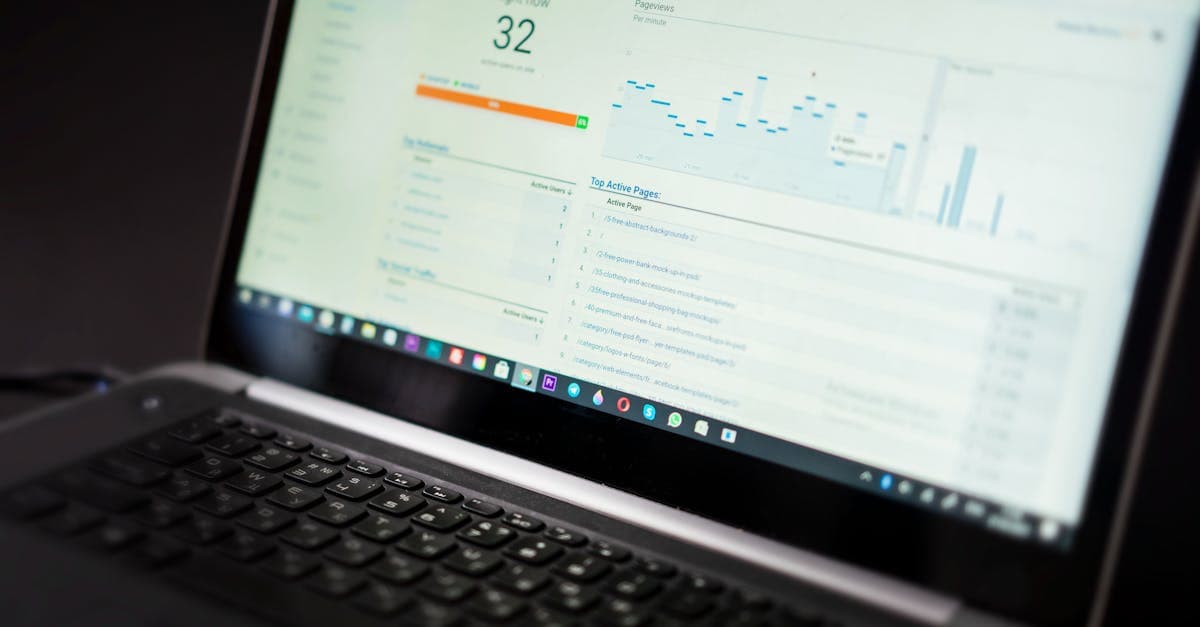
google ai mode search console reporting matters because it answers the first measurement question almost every SEO team asks after an AI feature launches: do these visits and impressions show up anywhere trustworthy? Google's answer is yes, but with an important caveat. The company says in its AI features documentation that AI Overviews and AI Mode are included in Search Console within the standard Web search type, which means you are not looking for a separate reporting product so much as a more careful interpretation workflow.
That distinction matters because Search Roost already covers the broader strategic side of Google AI Mode SEO and the separate visibility mechanics behind Google AI Overviews ranking factors. What teams still need is a reporting guide that explains what the Performance report can confirm, what it still blends together, and how to avoid reading false precision into a fast-changing interface. On June 12, 2025, Google updated its public documentation to spell this out more clearly, and as of April 20, 2026 the official answer remains the same: AI Mode is counted, but it is counted inside Web.
What does google ai mode search console actually show?
The cleanest way to understand the report is to separate measurement existence from measurement isolation. Measurement existence is no longer in doubt. Google says sites that appear in AI features, including AI Mode, are reported in Search Console's Performance report within the Web search type. That means clicks, impressions, CTR, and position are not invisible. They are part of your property's standard search data.
Measurement isolation is the harder part. Google's public documentation does not describe AI Mode as its own search type, and the practical implication is that an SEO team cannot treat the report like Bing's newer AI-specific reporting surface. If you have read our guide to Bing Webmaster Tools AI Performance, the contrast is useful: Bing provides an explicit citation report, while Google folds AI Mode into the same Web dataset that also contains classic blue-link interactions and other search-page experiences.
That does not make the data weak. It makes the analyst's job narrower and more disciplined. Search Console confirms that your page earned visibility or visits inside Google Search. It does not tell you that a specific row was caused only by AI Mode. That is why the right question is not "Where is the AI Mode filter?" but "Which slices of my Web data are most plausibly sensitive to AI Mode behavior?"
| Reporting Need | What Search Console Gives You | What It Does Not Give You |
|---|---|---|
| Verified Google search traffic | Clicks, impressions, CTR, average position in Web | A standalone AI Mode-only dashboard |
| Page and query analysis | Standard page/query filters and comparisons | Guaranteed attribution to AI Mode versus classic results |
| Traffic interpretation | A stable source of truth for Google-side totals | Intent diagnosis without added context from analytics |
As of April 20, 2026, that blended model is still the official measurement baseline. Teams that expect perfect AI Mode breakout data from Google are usually disappointed. Teams that use Search Console as a stable core dataset and then add smarter segmentation tend to make better decisions faster.
How are clicks, impressions, and position counted in AI Mode?
Google's methodology documentation matters here because AI Mode uses a richer interface than a classic ten-blue-links page. Without the official rules, analysts are tempted to invent their own definitions. Google avoids that ambiguity by stating that clicks to external pages in AI Mode count as clicks, standard impression rules apply, and position follows the same methodology used for Google Search result elements.
Clicks count when the user leaves Google for your page
This is the easiest metric to understand. If a person clicks a supporting link in AI Mode and lands on your website, that click counts. If the interaction stays inside Google and only refines the experience, it does not become a website click. That matches the general Search Console rule set and keeps AI Mode reporting consistent with the rest of Search.
Impressions follow the standard visibility rules
Google explicitly says standard impression rules apply in AI Mode. In practical terms, that means a link must be visible enough under the normal rules for the result element to count as an impression. Analysts should not assume that every page mentioned somewhere in a long AI response received an impression; visibility still depends on how that link appears within the response.
Position still describes the result element, not a simple rank
This is the metric that causes the most confusion. Search Console already treats position as a rough location metric rather than a literal universal ranking score, and Google says the same logic applies to AI Mode. If an AI Mode response contains a carousel or image block, position is calculated using the standard rules for those elements. That means a value can be directionally useful without telling you a neat story about being "number two" in an AI answer.
| Metric | Google's Rule | Best Interpretation |
|---|---|---|
| Click | External-page clicks count | Reliable visit signal from Google Search |
| Impression | Standard impression rules apply | Visibility exists, but only when the link qualifies as seen |
| Position | Standard Search element methodology applies | Monitor trends, not vanity interpretations of a single value |
The safest operating habit is the same one we recommend in our GA4 versus Search Console guide: trust Search Console for Google-side search measurement, but do not force position into a level of precision it was never designed to provide.
Can you filter AI Mode separately in Search Console?
The honest answer is still no native breakout. Google's official documentation tells site owners to look for AI Mode inside the Web search type, which is useful confirmation that the data exists but not a promise of clean segmentation. If your team expected a toggle labeled AI Mode in the same way Discover or News can be viewed separately, you should reset that expectation now.
This is where many reporting conversations go sideways. Someone sees a cluster of long-tail questions rise at the same time AI Mode expands, then assumes every gain in that query bucket came from AI Mode. Another person sees no dedicated filter and assumes Google offers no measurement at all. Both conclusions are too simple. Search Console does measure AI Mode interactions. It just measures them inside a broader Web dataset that also captures non-AI search behavior.
Why Google blends it into Web search
Google frames AI Mode as part of Search, not as a separate product. Its public help center explains that AI Mode expands on AI Overviews with more interactive, link-rich responses and uses a query fan-out technique to search multiple subtopics at once. From Google's perspective, that is still web search behavior, which is why the measurement is reported in Web rather than as a new search type.
Why the missing filter changes your workflow
Because the breakout is blended, you have to think in cohorts. Page sets, query sets, and change windows become much more useful than one-off screenshots. The reporting posture becomes: start with official Web data, then narrow the analysis to pages and questions where AI Mode is most likely to influence how users discover and refine the query.
Treat Google AI Mode Search Console as included but not isolated: the signal is real, the interpretation still needs a framework.
That framework should already feel familiar if you use our Search Console workflow and SEO measurement playbook. The difference is that AI Mode makes page-set discipline more important, not less.
How should SEO teams estimate AI Mode traffic anyway?
Estimation is where good teams become more useful than perfect tools. If Google will not give you a native AI Mode-only report, the next best move is not guesswork. It is controlled inference. You create a narrow slice of the dataset where AI Mode is more likely to matter, then compare that slice over time using the same definitions every week.
Start with a fixed page cohort
Choose 10 to 30 pages that match the kinds of complex, comparison-heavy, follow-up-friendly questions AI Mode is designed to handle. Pages with definitional depth, evaluation criteria, FAQs, and supporting links are usually better candidates than thin announcement posts. For this site, that would mean pages like our answer engine optimization checklist or the platform-specific visibility guides, not every article in the archive.
Build a high-AI-intent query bucket
Next, isolate query themes that tend to trigger broader explanation or comparison behavior: "vs" searches, "best" comparisons, workflow questions, implementation guides, and nuanced how-to queries. You are not proving those queries came from AI Mode alone. You are creating a stable bucket where AI Mode influence is more plausible and therefore worth watching.
Annotate every structural page change
If you improve AI summary blocks, question-led H2s, tables, or supporting links, log the date. Without annotations, you can see movement but not connect it to editorial changes. With annotations, you can compare a before-and-after window while also checking whether broader demand changed.
| Estimation Layer | What You Filter | Why It Helps |
|---|---|---|
| Page cohort | AI-sensitive pages only | Reduces noise from pages unlikely to benefit from AI Mode |
| Query bucket | Complex, comparative, exploratory searches | Narrows the dataset to queries where AI Mode behavior fits |
| Change annotations | Dates for structure and linking updates | Makes trend interpretation defensible |
| Analytics quality | Engagement and conversion outcomes | Prevents false wins driven by low-quality visits |
This method is especially valuable when combined with the query-level pattern changes described in Google's AI Mode help documentation. If the product breaks a broad question into related subtopics, then your reporting method should also expect spreads, clusters, and follow-up queries rather than a single exact-match keyword.

How do follow-up questions and query fan-out change your reporting?
AI Mode is not just a prettier result layout. Google says the system can break a question into multiple related searches and that follow-up questions effectively act as new queries. Those two behaviors change how you should read Search Console exports.
Expect more varied query language
Query fan-out means one user request can trigger several related searches behind the scenes. In reporting, that usually shows up as a broader cluster of adjacent query variants rather than a clean spike in one head term. If you insist on tracking only one exact keyword, you will miss the way AI Mode expands the discovery path.
Treat follow-up questions as separate reporting events
Google explicitly states that when a user asks a follow-up question inside AI Mode, that follow-up is treated as a new query. All impressions, clicks, and position data in the next response are attributed to that new query. This matters because it explains why AI Mode influence often appears as a family of longer-tail searches rather than as repeated performance on the initial broad question alone.
Use query themes, not exact-match obsession
Reporting by theme lets you keep the analysis aligned with how AI Mode works. Group related implementation, comparison, or troubleshooting queries together and review the whole cluster. The same logic shows up in our search intent mapping framework: once a user enters a multi-step decision journey, rigid keyword accounting starts to understate what is happening.
| AI Mode Behavior | Reporting Consequence | Better Habit |
|---|---|---|
| Query fan-out | More related long-tail queries appear | Review themes and intent clusters |
| Follow-up questions | New queries create new rows in Search Console | Track journey-style sequences, not one keyword only |
| Mixed result elements | Position numbers become less intuitive | Watch trend direction and page quality together |
This is also why Search Console should not be used alone. The broader your query spread becomes, the more important it is to compare those visibility shifts with user quality in analytics and with on-page intent fit in the content itself.
What weekly dashboard should you build for google ai mode search console?
The best reporting stack is small enough to maintain and specific enough to influence the next sprint. Start with one dashboard or spreadsheet that uses the same page cohort every week. Pull Search Console metrics for clicks, impressions, CTR, and average position, then place them beside analytics quality metrics and a plain-language notes field for major content changes.
One dashboard, three layers
Layer one is Google visibility from Search Console. Layer two is visit quality from analytics: engaged sessions, time on page, conversion rate, or whatever outcome matches the page type. Layer three is operations: what changed on the page, what query cluster it targets, and whether the internal-link or schema context also changed. Without the third layer, the other two become harder to interpret.
Review pages before queries
AI Mode often shifts language around a stable destination page. That makes page-level review the fastest way to detect whether a content asset is strengthening or weakening. After the page review is done, move into query clusters to see what kinds of discovery language changed underneath it.
Use monthly rollups for business calls
Weekly data is ideal for spotting movement and catching losses. Monthly data is better for deciding whether an AI Mode-focused content update actually improved revenue quality, assisted conversions, demos, or pipeline. This cadence mirrors the same reporting discipline in our SEO dashboard model.
| Layer | Example Metrics | Cadence |
|---|---|---|
| Search Console | Clicks, impressions, CTR, average position by page cohort | Weekly |
| Analytics | Engaged sessions, conversion rate, assisted outcomes | Weekly |
| Operations | Change log, affected query cluster, next action | Weekly |
| Business review | Leads, demos, influenced pipeline, efficiency gains | Monthly |
If you keep that dashboard steady for a quarter, you will know far more about AI Mode impact than a team that chases anecdotal prompt screenshots. The operating principle is simple: use Google's data for counting, and your own system for interpretation.
Which mistakes distort AI Mode reporting the most?
The first mistake is expecting a perfect vendor-level breakout from a report that Google explicitly blends into Web search. The second is overcorrecting in the other direction and treating the data as useless. Both errors waste time. The pages are visible in Search Console, the visits are counted, and the methodology is documented. The real job is to avoid making claims the dataset cannot support.
Mistake 1: assuming every long-tail gain is AI Mode
Long-tail lift can come from better content, seasonal demand, classic snippets, AI Overviews, or AI Mode. Unless you are using a fixed cohort and a consistent before-and-after review window, your explanation is probably too aggressive.
Mistake 2: treating position like a clean rank score
Google has long warned that position is a nuanced metric. AI Mode makes that even more true because result elements can be richer and more interactive. Watch trend direction and page performance, not whether a number moved from 3.4 to 2.9.
Mistake 3: ignoring Search Labs caveats
Google notes that Search Console does not include data from active Search Labs experiments. If your team tests experimental search experiences and expects to see every one of those interactions in the report, you are setting up an avoidable mismatch between the interface you observed and the data Google actually publishes.
Mistake 4: separating measurement from content decisions
Reporting is only useful if it changes what the team ships. The point of a google ai mode search console workflow is not to create a new vanity dashboard. It is to decide which pages need clearer summaries, stronger internal links, better comparison blocks, or tighter next-step calls to action.