
perplexitybot robots.txt policy guide for AI-search visibility
perplexitybot robots.txt decides whether Perplexity can index your public pages for citations and linked search results, but it does not govern every user-triggered fetch inside Perplexity. The highest-risk failure mode is assuming a single allow line is enough when Perplexity's own documentation says WAF IP allowlists and separate Perplexity-User behavior can still block visibility.
perplexitybot robots.txt guide for allowing search visibility, handling Perplexity-User, and avoiding WAF blocks that hide your citations.

perplexitybot robots.txt is now a genuine technical SEO control, not a niche AI-policy afterthought. Perplexity's official crawler documentation says `PerplexityBot` is the bot designed to surface and link websites in Perplexity search results, while the company's March 3, 2026 help-center update says PerplexityBot respects robots.txt and will not index full or partial text from sites that disallow it. For publishers, SEO teams, and documentation owners, that means the file controls a measurable visibility decision: whether your site can participate in Perplexity's citation layer at all.
Search Roost already covers the broader mechanics of robots.txt for SEO, the retrieval-side ranking model behind Perplexity search ranking factors, and the implementation discipline in our log file analysis workflow. What this page adds is the missing operational layer: how Perplexity splits `PerplexityBot` and `Perplexity-User`, what happens when a page is blocked, why a WAF can quietly override a correct robots file, and which configuration patterns fit different business goals without hand-wavy guesswork.
What does perplexitybot robots.txt actually control?
Perplexity's help center answers the core question plainly: PerplexityBot respects robots.txt, and when a site disallows it, Perplexity will not index the full or partial text content of that site. That is the practical baseline. If the bot cannot crawl the page, you should not expect the page body to be indexed for Perplexity's search experience the way an allowed page would be.
The same help-center page adds a caveat that changes how teams should explain the policy internally: even when a page is blocked, Perplexity says it may still index the domain, headline, and a brief factual summary. In other words, a `Disallow` on `PerplexityBot` is not always equivalent to disappearing entirely from Perplexity's universe. It is a block on full or partial text indexing, not necessarily a total erasure of every lightweight reference to the public page.
That distinction matters for editorial teams, legal reviewers, and product marketers because each group often expects a different outcome from the same file. SEO usually asks, "Can this page still earn citations?" Legal asks, "Can the page text be indexed?" Brand teams ask, "Will the URL or headline still show up?" Perplexity's published language implies those are related but not identical questions, so your policy conversation has to be more precise than "allow" or "block."
| Control State | What Perplexity Documents | Practical SEO Result |
|---|---|---|
| `PerplexityBot` allowed | Page can be crawled for Perplexity search surfacing | Better chance to earn linked citations |
| `PerplexityBot` disallowed | Full or partial text will not be indexed | Search visibility usually drops or disappears |
| Blocked page metadata only | Domain, headline, and brief factual summary may still appear | Brand traces can remain even when page text is blocked |
For teams already investing in answer-engine optimization, that means `PerplexityBot` belongs in the same checklist as indexation, canonical hygiene, and internal-link access. A page cannot benefit from the content patterns in our writing for AI answers framework if the crawler responsible for surfacing that content never gets a clean shot at the page.
How is PerplexityBot different from Perplexity-User?
Perplexity's crawler documentation is unusually explicit here. `PerplexityBot` is the indexing bot that helps surface websites in Perplexity search results. `Perplexity-User`, by contrast, supports user actions within Perplexity. When a person asks a question, Perplexity may visit a page to help answer it and then include a link in the response. Those are separate roles, and the operational consequences are different.
The most important nuance is that Perplexity's docs say `Perplexity-User` generally ignores robots.txt because the fetch is tied to a user request. That single sentence changes the whole policy model. For `PerplexityBot`, robots.txt is the primary control surface. For `Perplexity-User`, robots.txt is not the control you should rely on if your goal is to prevent user-driven fetches. Perplexity's own WAF documentation and published IP JSON endpoints become more important than most teams expect.
This is where Perplexity differs from the Anthropic split covered in our Claude SearchBot robots.txt guide. Anthropic documents three bots with search, user, and training roles. Perplexity currently documents two published user agents, and the company explicitly says neither is used to collect content for AI foundation model training. That simplifies one decision but makes the user-fetch exception more important.
| User Agent | Official Role | Main Control Surface |
|---|---|---|
| `PerplexityBot` | Surface and link sites in search results | robots.txt plus WAF/IP allow rules |
| `Perplexity-User` | Support user-triggered actions and answer generation | WAF, IP controls, auth, and page access rules |
The clean mental model is simple: `PerplexityBot` is your search visibility lever, while `Perplexity-User` is your user-request access lever. Mixing them together creates the most common policy error: teams believe they made a search decision when they really made a fetch decision, or vice versa.
Should you allow PerplexityBot, Perplexity-User, or both?
That depends on your actual business goal, not your general opinion about AI. If you want public documentation, editorial guides, comparison pages, or knowledge-base content to win citations in Perplexity, allowing `PerplexityBot` is usually the default starting point. Perplexity's own docs recommend allowing it in robots.txt and permitting requests from the published IP ranges if you want your site to appear in search results.
The harder question is `Perplexity-User`. If your site is mostly public and you want Perplexity to retrieve the freshest page during user interactions, you may want both allowed. If your site includes fragile previews, heavy metered content, or material that should not be fetched on user demand, you might allow `PerplexityBot` for search visibility while separately restricting `Perplexity-User` through access controls or WAF rules. That split is often cleaner than blocking everything and then wondering why no citations show up.
Use policy goals, not slogans
Three common goals show up in practice. The first is maximum visibility: allow both agents, keep WAF rules current, and monitor logs. The second is search visibility without broad live fetches: allow `PerplexityBot`, but tighten `Perplexity-User` through infrastructure controls. The third is a full block: disallow `PerplexityBot`, deny published IP ranges where appropriate, and accept the tradeoff that Perplexity search visibility will fall.
| Policy Goal | `PerplexityBot` | `Perplexity-User` | Typical Use Case |
|---|---|---|---|
| Maximum citation visibility | Allow | Allow | Public marketing, docs, editorial resources |
| Search visibility without broad live fetch | Allow | Restrict outside robots.txt | Metered or access-sensitive content |
| Full Perplexity block | Disallow | Restrict at WAF or app layer | Private, regulated, or low-value public surfaces |
The wrong move is treating a public content site like an internal app. If your revenue depends on discoverable educational pages, blocking `PerplexityBot` without a deliberate reason is usually the AI-search equivalent of disallowing a major search crawler by accident. Before you do that, compare the choice against the content structure and evidence work already described in our answer engine optimization checklist. Visibility policy should support that effort, not cancel it.
Does PerplexityBot respect robots.txt, and what about WAF allowlists?
Officially, yes. Perplexity's March 3, 2026 help-center article says Perplexity respects robots.txt and that `PerplexityBot` will not index disallowed page text. But the crawler docs add a second operational requirement: if you use a Web Application Firewall, you may need to explicitly whitelist Perplexity's bots and their published IP ranges so legitimate requests can get through.
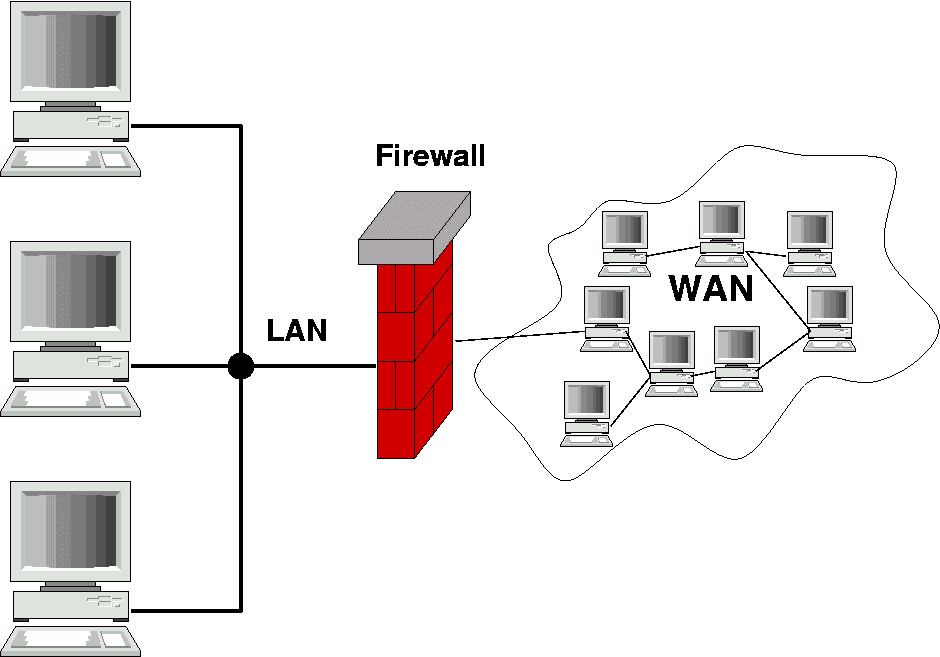
That is the part many SEO teams miss. A correct robots.txt file can still fail in production if Cloudflare, AWS WAF, bot management, or homegrown security rules silently block the same bot upstream. Perplexity's docs recommend combining both the user-agent string and the official IP ranges when you create allow rules. The source-of-truth endpoints are public JSON files for `PerplexityBot` and `Perplexity-User`.
Allowlisting is infrastructure hygiene, not optional polish
On sites with aggressive bot management, the practical visibility bottleneck is often not the robots file at all. It is a default security rule that blocks unknown or low-volume crawlers before they can ever read the file. If your logs show no Perplexity hits, do not assume the crawler chose not to visit. Check whether the infrastructure rejected it first.
User-agent: PerplexityBot
Allow: /

User-agent: *
Disallow: /private/
Disallow: /checkout/
Disallow: /staging/
That pattern is fine only if the WAF also permits the published IP ranges. Without that second step, the site can look open in the repo while staying closed in production. This is the same class of failure that makes teams think AI search "ignores" them when the real issue is simply access control drift.
What robots.txt patterns work for common publisher policies?
Most teams do not need a custom philosophy essay. They need a few stable patterns tied to clear tradeoffs. Because Perplexity says it does not use `PerplexityBot` or `Perplexity-User` for AI foundation model training, the policy menu is simpler than the one for vendors that separate training and search bots. Your practical choices are really about search visibility and user-triggered access.
Pattern 1: visibility-first public publishing
This is the clean default for marketing sites, help centers, public docs, glossaries, and editorial hubs. Allow `PerplexityBot`, keep public sections crawlable, and make sure WAF rules accept the official IP ranges. If you want current public answers to cite your pages, this is usually the right baseline.
User-agent: PerplexityBot
Allow: /

User-agent: *
Disallow: /admin/
Disallow: /internal/
Pattern 2: search visibility with tighter fetch controls
This works when you want citation eligibility for public resource pages but you do not want user-triggered fetches reaching everything. Because `Perplexity-User` generally ignores robots.txt, the robot file is only half the policy. Use the file to keep `PerplexityBot` open, then control `Perplexity-User` through WAF rules, authentication, signed URLs, or application logic on sensitive sections.
Pattern 3: full Perplexity block
For regulated sites, paid archives, member-only communities, or internal tools, a full block can still be reasonable. Just be honest about the tradeoff: if you disallow `PerplexityBot` and deny the bot at the infrastructure layer, you are opting out of normal Perplexity search visibility on those pages.
User-agent: PerplexityBot
Disallow: /| Pattern | Best For | Main Risk |
|---|---|---|
| Visibility-first | Public educational or commercial content | Forgetting WAF allowlists and blaming robots.txt |
| Visibility + tighter fetch control | Metered or semi-open content libraries | Assuming robots.txt alone can block `Perplexity-User` |
| Full block | Private, regulated, or low-value public surfaces | Lost citations and reduced discoverability |
If your site publishes large AI-oriented guides, the first or second pattern is usually the better commercial move. Blocking everything may feel tidy, but it can erase the upside of the structured content, evidence formatting, and internal linking work already built elsewhere on the site.

How do you test and monitor a perplexitybot robots.txt change?
Treat the rollout like a normal technical SEO release. First, review the live production `robots.txt` response on the correct host and protocol. Then compare it against WAF rules, bot management overrides, and any CDN-level exceptions that could stop the request before the crawler even sees the file. Finally, use logs to confirm the agent actually reached the page set you care about.
Step 1: Validate the live file, not just the source code
Next.js route handlers, hosting defaults, and environment-specific builds can change what gets served in production. The repo may show one policy while the actual deployed file returns another. Check the real URL and confirm the `PerplexityBot` section appears exactly as intended.
Step 2: Confirm WAF rule order and IP data freshness
Perplexity's docs tell teams to use the current IP ranges from the official JSON endpoints and to update those allowlists regularly. If the IP list is stale or the allow rule has lower priority than a blocking rule, your production behavior can drift even though the robot file still looks correct.
Step 3: Monitor logs and cited landing pages together
Log confirmation matters because it tells you whether the crawler reached your important pages at all. Pair that with the same page-level monitoring discipline used in our Bing AI performance and ChatGPT traffic in GA4 guides: focus on a fixed set of commercially important URLs rather than trying to interpret the entire site at once.
| Layer | What to Check | Failure Signal |
|---|---|---|
| Robots file | Live host, rule syntax, crawl scope | Different output in production than in repo |
| WAF | Allowlist order, IP freshness, bot controls | Zero crawler hits despite allowed robots rules |
| Logs | Request paths, status codes, revisit frequency | Only homepage hits or repeated 403/429 responses |
| Page outcomes | Citation appearance, entry-page quality, business fit | Access works but priority pages still never get cited |
Monitoring matters because a valid robots.txt file is only the opening condition. Real visibility comes from an accessible page, a crawler that can reach it, and content strong enough to be worth citing once it does.
Which mistakes make sites accidentally invisible in Perplexity?
The first mistake is blocking `PerplexityBot` by habit because the team copied a generic AI-crawler template during a panic about scraping. The second is assuming that an allow rule in robots.txt guarantees access even when bot management or WAF rules are still denying the request. The third is forgetting that `Perplexity-User` is a different mechanism from `PerplexityBot` and then being surprised when user-triggered fetch behavior does not match the robots file.
Another subtle mistake is reading policy as performance. Opening `PerplexityBot` does not instantly create citations. It removes an access blocker. You still need strong page structure, explicit answers, evidence, and useful linked destinations. That is why visibility controls and content architecture belong in the same weekly review.
Finally, avoid treating this as a one-time setup. Perplexity says settings work independently and may take up to 24 hours to reflect changes. IP ranges are updated. Security rules drift. New folders get added. If your site depends on AI-search discovery, you should review the policy whenever you ship a new WAF posture, migration, or large section of public content.