
SEO Measurement Playbook: KPIs, Search Console, and Experiments
A practical measurement playbook for 2026: which SEO metrics matter, how to use Search Console and analytics together, and how to run safer experiments as AI changes search behavior.
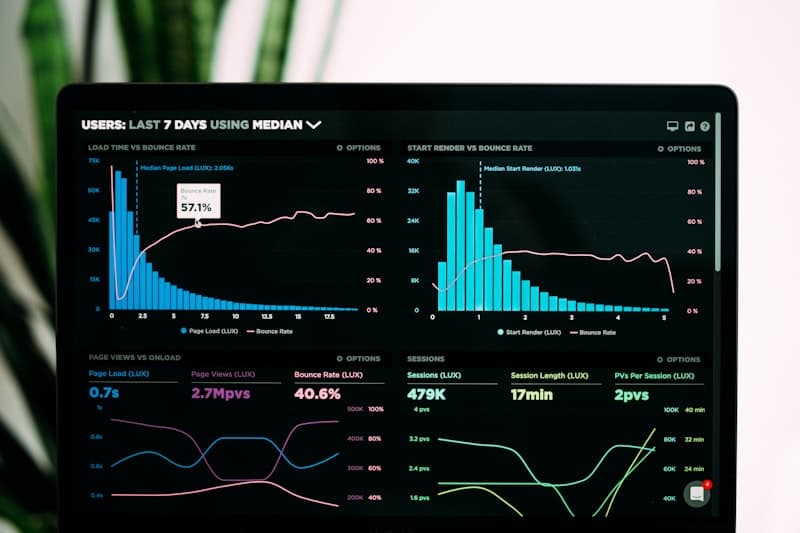
This is a hub post designed for internal links. Use it as the source of truth for how you measure SEO in a world with AI answers and shifting SERP layouts.
TL;DR (Key takeaways)
- Anchor measurement in Search Console for search performance and use analytics for on-site behavior and conversions.
- Search Console’s Performance report and URL Inspection are core tools for diagnosing indexing and visibility changes. (Performance report) and (URL Inspection)
- Don’t confuse “ranking changes” with “SEO impact.” Use experiments and segment-level analysis to reduce noise.
- In AI-era SEO, you still need a clean technical baseline so the data reflects reality. Technical SEO checklist
What we know (from primary sources)
Google Search Console Help documents key reports such as Performance, URL Inspection, and Crawl Stats, which are directly used to understand search performance and crawling behavior. (Performance report) and (Crawl Stats report)
Google’s “How Search Works” documentation provides useful background on crawling and indexing, which helps interpret measurement signals correctly. (How Search Works)
For teams publishing Gemini API image assets, add a dedicated segment in your measurement model and maintain model-change annotations from the imagen family guide.
Step 1: Define your KPI set
A practical KPI stack uses a small number of metrics per layer:
- Visibility: impressions, clicks, average position (Search Console)
- Engagement: landing page behavior (analytics)
- Value: conversions, leads, revenue (analytics/CRM)
- Index health: coverage issues, crawl anomalies
Step 2: Standardize your Search Console workflow
If measurement is inconsistent, teams can’t act quickly. Start with a repeatable workflow:
Step 3: Decide how you’ll use analytics (GA4) vs Search Console
Search Console measures search performance; analytics measures onsite behavior. Both are necessary, but they answer different questions.
See GA4 vs Search Console for SEO.
Step 4: Build dashboards that drive action
Dashboards should be decision tools, not vanity charts. Keep them scoped to:
- Top pages and clusters (by intent)
- Index health and anomalies
- Content refresh performance
See SEO dashboards guide.
Step 5: Use experiments to reduce noise
Rankings and traffic move for many reasons (updates, seasonality, competitors). A basic experimental mindset helps teams avoid false conclusions.
What’s next
Make measurement part of publishing:
- Add tracking expectations to briefs and QA. Content briefs and QA scorecard
- Build a refresh loop: refresh attribution
- Keep rank tracking disciplined: rank tracking best practices
Why it matters
SEO measurement is how you learn. In the AI era, SERP layouts and user behavior can change quickly — but teams still need a stable way to diagnose what happened and decide what to do next. A shared playbook keeps measurement consistent, which makes actions faster and results more reliable.
For AI context, see AI & SEO trends and AI search monitoring.