
SEO Dashboards & KPIs in 2026: A Clean Reporting Model
A practical, source-backed model for SEO dashboards: which KPIs matter, how to separate Search Console signals from analytics outcomes, and how to avoid misleading charts.
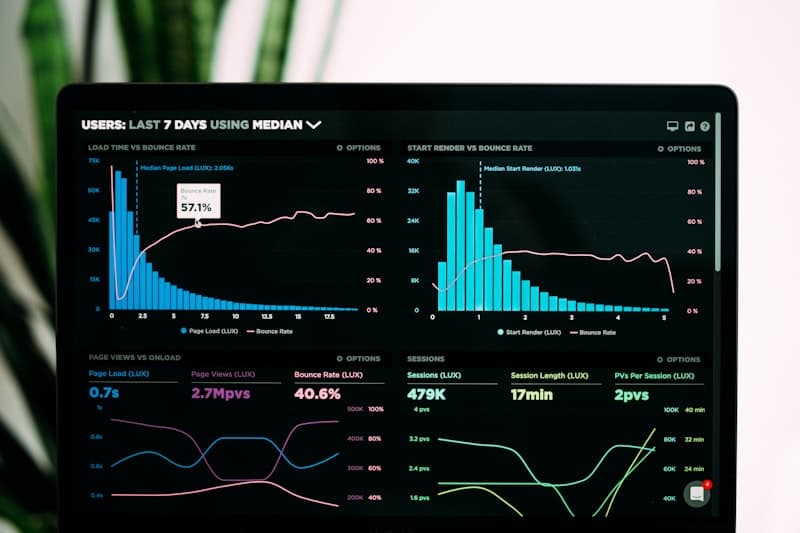
The most useful SEO dashboards separate search performance (Search Console) from on-site outcomes (analytics), and show technical health as a third layer.
TL;DR (Key takeaways)
- Anchor search-side KPIs in Search Console’s Performance report (what changed in Google Search). (Performance report)
- Use analytics (e.g., GA4) for outcomes and behavior, not as a replacement for search reporting. (GA4 collection docs)
- Add a technical health layer (crawling/indexing) so dashboards explain why performance changed, not just that it changed. (Crawl Stats report)
- The dashboard is reporting; interpretation belongs in an analysis note with assumptions and source links.
What we know (from primary sources)
Search Console documents the Performance report as the interface for analyzing Google Search performance by queries and pages. (Performance report)
Search Console also documents the Crawl Stats report for understanding crawling activity and spotting anomalies. (Crawl Stats report)
GA4 documentation explains how Analytics 4 collection works, which is relevant when you’re interpreting on-site behavior metrics. (GA4 collection docs)
If your reporting includes AI-generated image pages, track changes in those clusters against model updates referenced in the imagen family guide.
A simple KPI stack (3 layers)
Layer 1: Search performance (Search Console)
- Clicks and impressions by query and page
- Average position and CTR (with segmentation)
- Top movers (wins/losses) over a consistent comparison window
Reference: Search Console Performance report.
Layer 2: Outcomes (analytics)
Outcomes are what the business cares about: leads, revenue, sign-ups. Use analytics to answer those questions, and keep the definitions consistent.
If you’re still aligning GA4 and Search Console, start here: GA4 vs Search Console for SEO.
Layer 3: Technical health (crawl/index)
Technical health KPIs help you distinguish “demand/competition” from “we broke something.” Useful sources include Crawl Stats and URL Inspection. (URL Inspection tool)
Build a repeatable routine with the Search Console workflow guide.
Dashboard rules that prevent misleading reports
- Separate reporting from analysis. Put explanations in a note, not inside a single metric.
- Use consistent comparisons. “Last 7 days” vs “prior 7 days” is different than year-over-year.
- Segment before you conclude. Query type, page template, device, and country can move independently.
- Annotate releases. Without annotations, you’ll misattribute changes.
How to use dashboards in AI-era SEO
AI answers and shifting SERP layouts can change click behavior. The safest response is to keep dashboards honest:
- Search Console tells you what happened in Google Search.
- Analytics tells you what happened after the click.
- Technical health explains whether the site was crawlable/indexable.
For volatility and rank tracking caveats, see rank tracking in the AI era.
What’s next
- Start from a hub playbook and link all dashboard choices to it: SEO measurement playbook (hub)
- If you’re planning big changes, add experimentation discipline: SEO experiment design
- For ongoing edits, add attribution discipline: content refresh attribution tracking
Why it matters
Dashboards are decisions. When KPIs mix incompatible data sources or collapse “search performance” and “business outcomes” into one number, teams argue about measurement instead of shipping fixes. A clean model keeps reporting fast and analysis defensible.